Attributes
Atribut sets
Your store allows you to create attribute sets, because the selection of attributes is very important for better search. This is a powerful way to help you create your products more efficiently. It is important to keep in mind that each product can be tied to only one set of attributes.
Atribut groups
The attribute group is based on the filter title in your store and you can repeat the group name in sets, if necessary.
Atributs
Attributes represent the characteristics of your product and will be displayed on the product page as filters, which are mostly located on the left. They will make product search easier. Those filters are generated based on product attributes that are displayed in a selected listing.
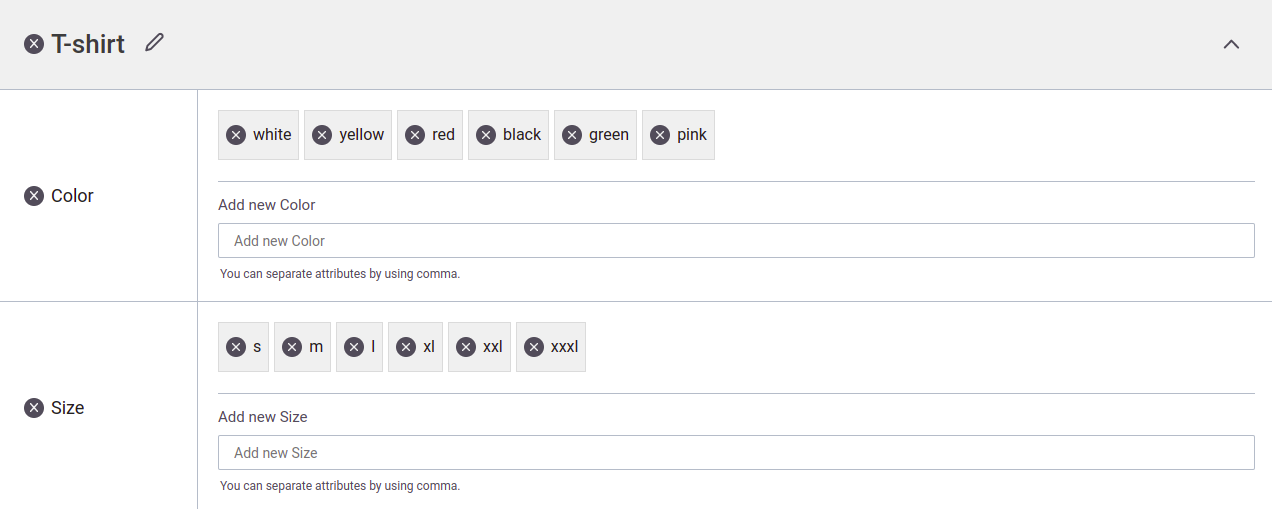
Let us give you an example. You can have a category named: “T-Shirts”. Each t-shirt should have size and color. In our case, we could create an Attribute Set named “T-Shirt” and within it have attribute groups called “Color” and “Size”. Each of those attribute groups should have its own attributes. Color would usually have attributes like “Red, Green, Blue, Yellow, Rose” and Size would usually have attributes like “S,M,L,XL,XXL”. By defining your attribute sets like this you will have a much faster way of generating configurable products. These attribute sets will be displayed as filters on your storefront. It is important to keep in mind that each product can be bound to one attribute set only.
You can now see what the above example looks like when creating an attribute.
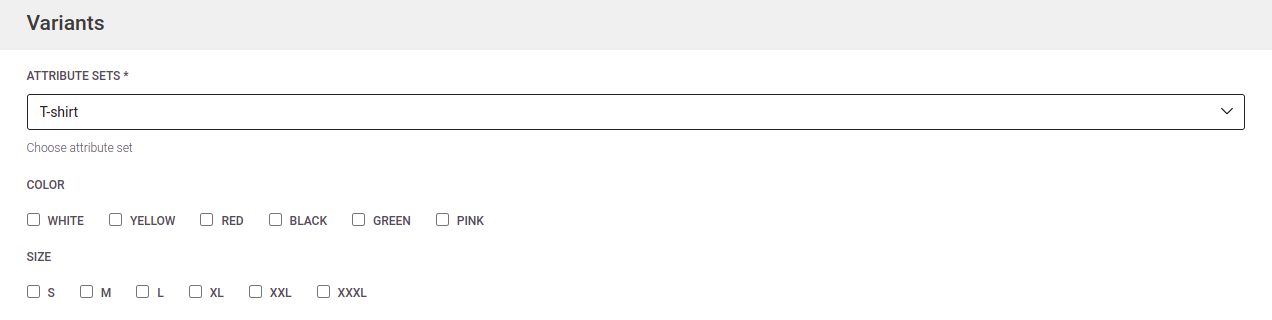
Then we present to you what the same example looks like when making a product. You need to "check" the attributes you want your product to have.
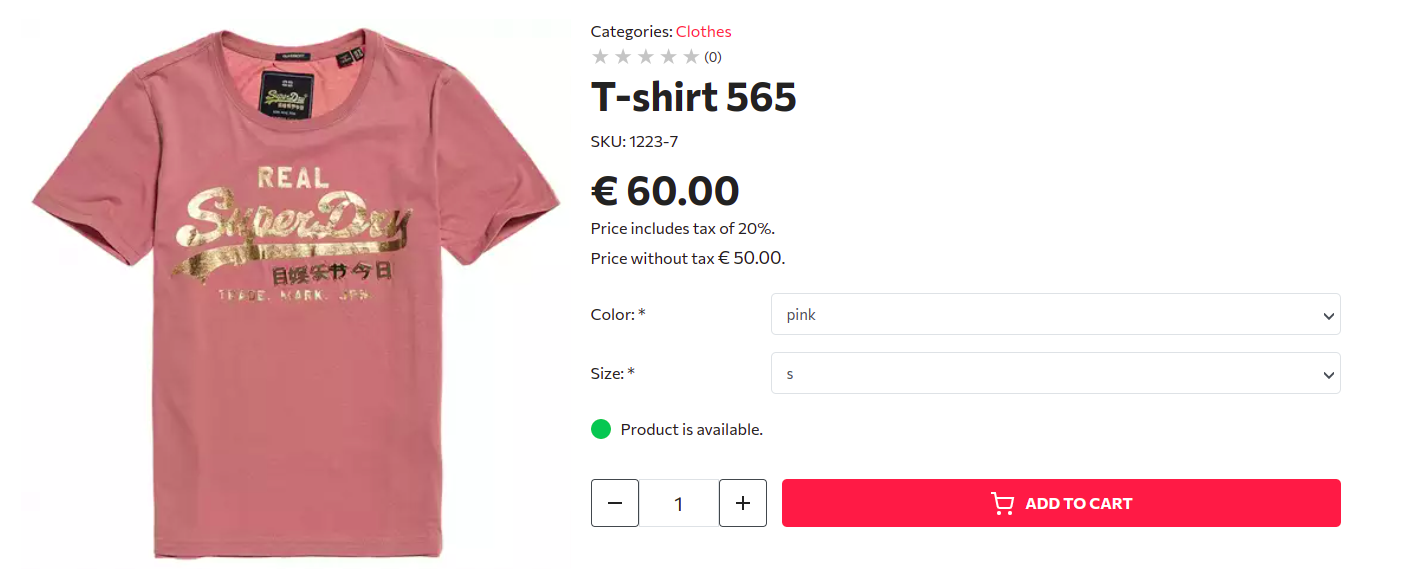
And finally, what the product will look like in your online store.
Note: deleting attribute will delete all configurable variants that have that attribute or will remove that attribute from simple product.